When we help an adult child set up a phone for a parent, the request is almost always the same: please make it easier to use, but please do not make it feel like a different phone. That balance — easier without unfamiliar — is the whole craft. Here is how we approach it.
Start with text size, not zoom.
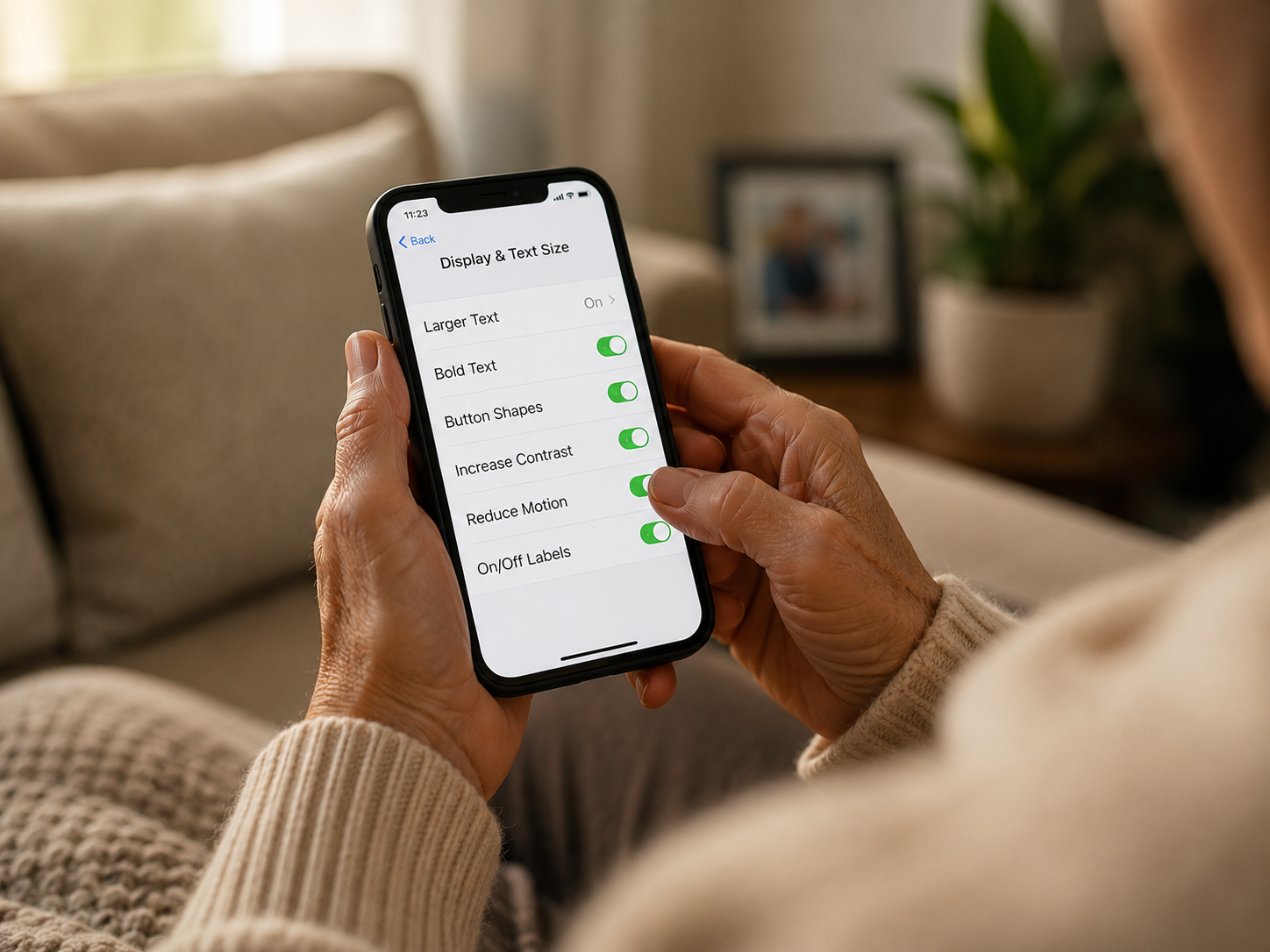
On iPhone, open Settings → Display & Text Size → Larger Text. Drag the slider to the second or third notch from the right. On Android, the path is Settings → Display → Font size. This change makes reading effortless without rearranging anything. Zoom, by contrast, magnifies the entire screen and tends to move buttons unpredictably — which is the most common reason an older user gives up on a new phone.
Turn on Bold Text.
A single toggle, and every label, button, and menu item becomes more readable without changing where anything lives. It is the most underrated accessibility setting on any smartphone.
Increase contrast — gently.
Modern phones use a lot of soft greys for elegance. Soft greys are hard for aging eyes. Increase Contrast (under Display & Text Size on iPhone, Visibility Enhancements on Android) gives every button a quiet outline so it is easier to see what is tappable and what is decoration.
Make the home screen calm.
Move only the apps they use — Phone, Messages, Camera, Photos, FaceTime, Maps, the bank, the pharmacy — onto the first home screen, in a single tidy grid. Put everything else into a second screen or a folder labelled simply “Other.” This is the single most powerful change you can make. A calm home screen turns a confusing device into a familiar one.
Set up the things they will need before they need them.
- Add your number, and one backup contact, to Favourites — so they are one tap away.
- Turn on Medical ID with current medications and an emergency contact.
- Make sure the lock screen shows enough notification text to be useful, but not so much that it overwhelms.
- Increase the time before the screen turns off — 2 minutes is kinder than 30 seconds.
Leave the phone looking like their phone.
Use the wallpaper they had before. Keep the ringtone they recognise. Do not rearrange the apps they already know how to find. The setup that works is the one that feels, on day two, exactly like the phone they had on day one — only easier to read, easier to see, and easier to use.
“The best accessibility setup is the one a parent doesn’t notice — they just notice that the phone has become kinder.”
If you would like a RescueByte specialist to do this with a parent on a video call — patiently, end to end — we do it almost every day. It usually takes less than an hour, and it is one of the most quietly meaningful things we get to help with.
Still need help?
If you're still experiencing problems, connect with a RescueByte specialist for one-on-one online assistance.
Connect