
We support the technology you already own.
From slow Wi-Fi and dead zones to new routers, mesh systems and internet connection problems, RescueByte provides secure online support to keep your home network running smoothly. For help with router configuration, see our guide to router settings.


Also supporting Google Nest WiFi, Google Wifi, D-Link, ARRIS, Motorola, Cisco, Synology, Zyxel, Tenda, Mercusys and many other trusted networking products.
We can help if…
- Wi-Fi keeps disconnecting
- Slow internet
- Dead zones
- Devices won't connect
- Mesh system not working
- Router won't connect
- Streaming keeps buffering
- Smart home devices offline
- Weak Wi-Fi signal
- Internet drops randomly
- Printer won't connect to Wi-Fi
- New router setup
Not on the list? Tell us what’s happening and a specialist will take a look with you online.
Compatible with major internet providers.
RescueByte regularly assists customers using internet services from:
- AT&T
- Verizon
- Xfinity
- Spectrum
- Frontier
- Cox
- CenturyLink
- Brightspeed
- Google Fiber
- Optimum
- Windstream
- T-Mobile Home Internet
- Rogers
- Bell
- Telus
- Shaw
- Videotron
RescueByte is an independent technology support provider. We help troubleshoot and optimize your home network regardless of your internet service provider.
Everything your home network needs.
New Router Setup
We set up your new router from start to finish so your home Wi-Fi works right away.
Wi-Fi Optimization
We fine-tune your settings and placement to get the strongest, most reliable signal possible.
Mesh Wi-Fi Setup
We install and configure your mesh system so every room gets solid, dependable coverage.
Wi-Fi Extender Setup
We set up Wi-Fi extenders to close dead zones and stretch your signal further.
Device Connections
We connect your computers, tablets, phones and gaming consoles to your home network.
Guest Wi-Fi Setup
We create a separate guest network so visitors can get online without accessing your main network.
Smart Home Device Connections
We connect your smart TVs, cameras, speakers and other smart home devices to your Wi-Fi.
Internet Troubleshooting
We track down the real cause of internet problems and get you back online.
Network Security
We strengthen your Wi-Fi password, encryption and settings to help keep your home network safe.
Home Office Networking
We set up a reliable, well-organized network so your home office stays connected when it matters most.
One technician. One solution.
Instead of calling your internet provider, router manufacturer, streaming company, printer manufacturer and smart device companies separately, RescueByte diagnoses your complete home network and finds the real cause of the problem.
Instead of contacting:
- • Internet provider
- • Router manufacturer
- • Streaming company
- • Printer manufacturer
- • Smart device companies
- • Phone manufacturer
We check:
- Internet connection
- Modem
- Router
- Wi-Fi coverage
- Mesh setup
- Connected devices
- Streaming devices
- Printers
- Smart home devices
- Settings and updates
One technician.
One diagnosis.
No runaround.
Get more from your home Wi-Fi.
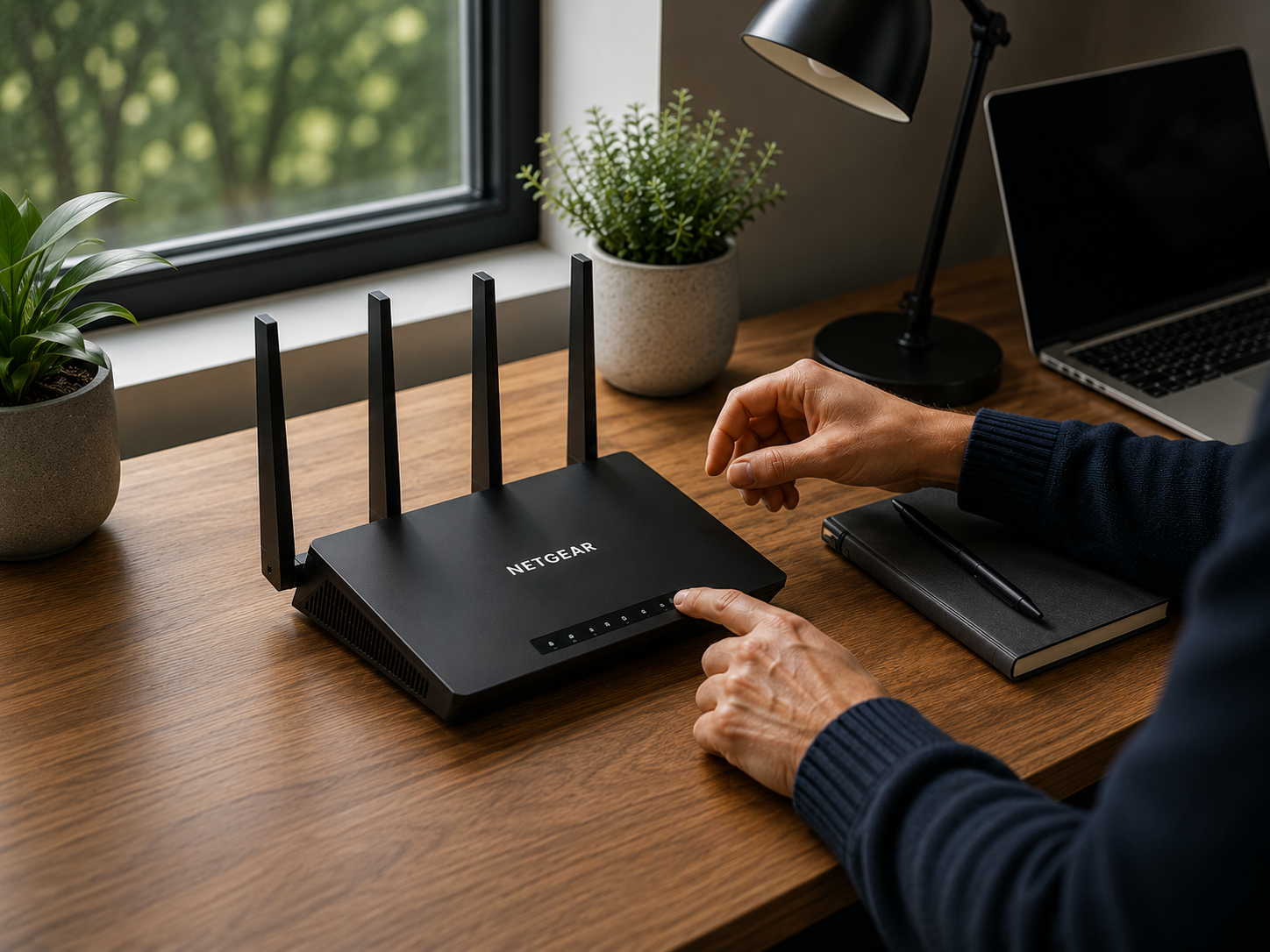
The five settings to change on a new Wi-Fi router (and why).
A handful of defaults ship every router with the same blind spots. Here is the short list our specialists change in the first ten minutes of every install.
Read the guideMore networking guides coming soon.
We’re building practical resources covering router setup, mesh Wi-Fi, internet optimization, smart home connectivity, network security and home networking best practices.
Answers before you call.
Yes. A RescueByte specialist reviews your router placement, wireless channels, band settings and coverage gaps, then recommends practical Wi-Fi optimization steps — often improving signal strength without buying new equipment. If extra coverage is needed, we help you choose and set up a mesh Wi-Fi system or Wi-Fi extender.
We can. Router setup and support is handled online for Netgear, ASUS, TP-Link, Linksys, Ubiquiti, D-Link, ARRIS, Motorola and other major brands, including network names, passwords, firmware updates, wireless bands and advanced settings.
Yes. Mesh Wi-Fi setup is one of our most requested services. We guide you through eero, Google Nest WiFi, Netgear Orbi, TP-Link Deco, ASUS ZenWiFi and similar systems — placing nodes for the best coverage, connecting them to your modem and moving your devices over to the new network.
RescueByte is an independent technology support provider and works alongside every major internet service, including AT&T, Verizon, Xfinity, Spectrum, Frontier, Cox, CenturyLink, Brightspeed, Google Fiber, Optimum, Windstream, T-Mobile Home Internet, Rogers, Bell, Telus, Shaw and Videotron. We help troubleshoot and optimize your home network regardless of your provider.
Yes. Slow internet has many causes — router placement, outdated firmware, wireless interference, an overloaded network or an issue upstream with your provider. We test and review your setup to identify the likely cause and optimize what can be improved inside your home.
Absolutely. We connect printers, smart TVs, streaming devices, cameras, speakers, thermostats, doorbells, gaming consoles, computers, tablets and phones to your wireless network, and confirm everything stays connected reliably.
Yes. Router security includes a strong unique Wi-Fi password, modern WPA2/WPA3 encryption, changing default admin credentials, firmware updates and a separate guest network for visitors and smart home devices.
Yes. Many connectivity problems involve multiple devices or settings, making it difficult to determine the root cause. A RescueByte specialist can help troubleshoot your home network, connected devices and Wi-Fi configuration to identify where the issue originates. If your internet service provider needs to resolve something on their network, we'll help you understand what to request and what information to provide.
Ready for a faster, more reliable home network?
Whether you’re setting up a new router, expanding Wi-Fi coverage, troubleshooting slow internet or connecting all the devices in your home, a RescueByte specialist is ready to help.